
Translations
All visible text in the desktop comes from translation files in i18n/, English as the reference and German as a required second language. Messages use ICU MessageFormat, the build compiles them ahead of time, and tests fail when a key exists in one language but not the other.
- Files are
i18n/<locale>/<namespace>.json. Today the locales areenandde, and the namespaces areauth,cli,desktop,errors,files,installer,jobs,logs,monitor,network,notifications,settings,storage,store,ui,usersandviewer. - Keys are dotted paths in nested JSON, named
area.screen.element, for examplemenu.themeChoice.system. Error texts are undererrors.<code>. - TypeScript checks keys against the English files. There are no string literals in JSX (ESLint,
jsx-text-onlymode). - German uses the informal “du”. Texts never name companies or their products.
ui.jsonbelongs to@pithyx/uiandcli.jsonto the mock desktop ofpithyx dev; the desktop does not load them.- Chunking. The namespaces
desktop,authanderrorsload before the first render,notificationsandjobsload with the desktop chunk, and every other namespace loads when its app opens (loadTranslations('files')). Only the active language is loaded. There is no fallback language, so every language needs every key.
ICU messages
Section titled “ICU messages”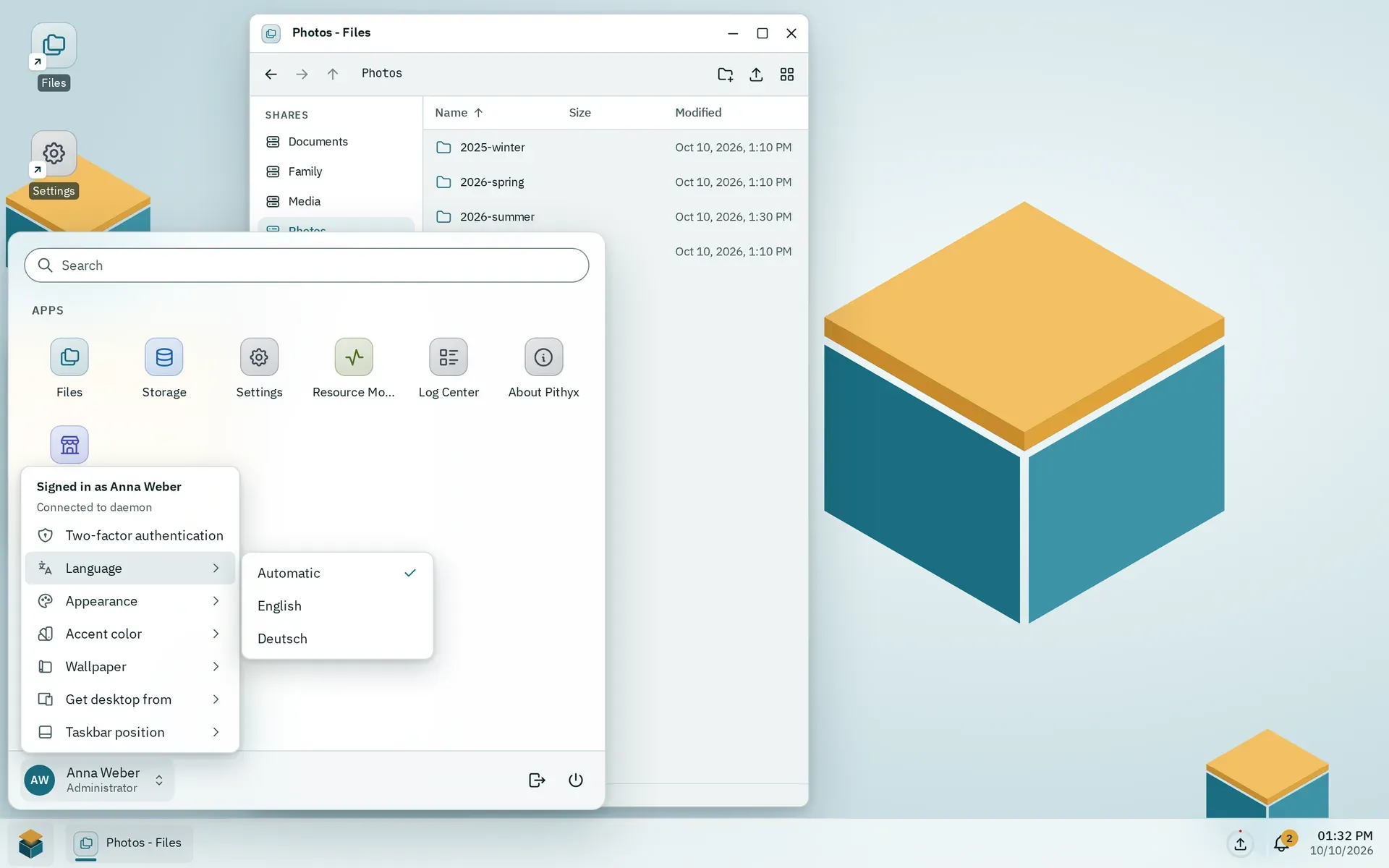
The Language submenu offers Automatic and each language in its own name.
Messages use ICU syntax with parameters, plurals and selects:
"windowCount": "{count, plural, one {# window} other {# windows}}"- The build compiles messages to a small syntax tree (
desktop/scripts/compile-messages.ts), so the production bundle does not ship the ICU parser. - At runtime a missing or wrong parameter makes the text show its key. A text that shows its key may also mean the namespace is not loaded.
- Tags in messages stay plain text; use
<Trans>for markup. - The daemon renders the same messages for texts that leave the API (out-of-band channels) with
IcuMessageFormatter. A shared test file,tools/i18n/icu-golden.json, must give the same result in the desktop (Vitest) and the daemon (xUnit). - Dates and numbers use
Intlwith the format locale: the language plus the system region, for examplede-AT. Plural rules follow the language only. Dates are stored in UTC and formatted per user time zone.
Choosing the language. In order: the saved choice (localStorage key pithyx.language, per browser), the browser’s language list, the system language from the setup information, then English. The account menu’s Language submenu offers Automatic plus each language in its own name. The system language is set in Settings under Regional settings.
Adding a language
Section titled “Adding a language”There is no single list of languages. Adding one today means editing these places:
- Create
i18n/<code>/with every file thati18n/enhas. - Add the code to
languagesindesktop/src/i18n.ts, and update the two places there that hard-code'en'and'de'(language detection and the stored choice). - Add the locale to
ariaLocalesindesktop/vite.config.ts(texts of React Aria). - Add it to
SystemRegion.Languagesin the daemon (SystemSettings/SystemContracts.cs). - Update the other lists: the matrix in
tools/design-shots/matrix.tsand the testsdk/src/i18n.test.ts.
The website has its own language files (website/src/content/i18n/ and website/src/content/docs/de/).
Checks that run in pnpm test: the same keys in every language, the same files in every language, a text for every SDK transport code and every API error code, a text for every core app, and valid ICU syntax everywhere. The daemon tests check that each error code has an English and a German text.
Error texts
Section titled “Error texts”The API returns a code and parameters, never translated text. The desktop looks the code up as errors.<code> with the parameters (translateError). The JSON path follows the code, so app.app.busy is errors.app.app.busy. A failed fetch uses the code network. The error notice is announced with role="alert" and logs the code and request id to the console.
SDK transport codes (sdk.*) have their texts under errors.sdk.*. The English text of each code is also what the daemon returns as detail.